14 Wireless Charging Furniture Ideas for Modern Homes
Wireless charging furniture refers to tables, nightstands, desks, sofas, and shelving units with embedded Qi-standard wireless charging pads integrated directly into the furniture surface — eliminating visible cables, charging bricks, and the daily friction of finding a charging point for phones, earbuds, and wearables. This article gives you 14 wireless charging furniture ideas across bedroom, living room, home office, kitchen, and entryway applications so every room in your modern home has a charging solution that is as invisible as it is functional.
There is a particular quality of calm in a home where cables are not visible. The charging cable draped from the nightstand, the power strip on the floor beside the sofa, the tangled cord beside the kitchen coffee maker — these are the small visual frictions that accumulate into the ambient sense that the home is not quite resolved. Wireless charging furniture addresses this directly: the charging function disappears into the furniture surface, and the room recovers the visual clarity that wire management systems attempt to approximate but never fully achieve. Here are 14 ideas worth saving — and stealing.
Why Wireless Charging Furniture Works So Well
Wireless charging furniture draws from the broader design principle of integrated technology — the idea that the best technology in a home is technology that cannot be seen functioning. This principle appears across the best residential design in hidden hinges, recessed handles, flush-mounted switches, and in-ceiling speakers — moments where the functional element serves its purpose without announcing its presence. Wireless charging furniture extends this principle to the device-charging function that has become one of the most frequent daily interactions between modern homes and their occupants, typically performed 1–3 times per day for every household member’s phone alone.
The technology that makes wireless charging furniture possible is the Qi (pronounced “chee”) wireless charging standard — an inductive power transfer technology that passes energy through non-metallic surfaces including wood, stone, leather, and fabric at thicknesses up to approximately 40mm (about 1.5 inches). This means that a Qi wireless charging pad embedded beneath a wooden tabletop up to 40mm thick charges a Qi-compatible device placed on the surface above it with no visible indication of the charging mechanism. The device simply charges when placed on the surface, as naturally as setting it down. Current Qi2 standard chargers deliver 15 watts to compatible devices — sufficient to charge a modern smartphone to approximately 50% in 30–40 minutes.
The furniture design moment is ideal for wireless charging integration. The clean-line, minimal hardware aesthetic that dominates contemporary furniture design — the absence of visible pulls, visible cords, and visible mechanism — is directly compatible with the wireless charging integration approach. A walnut nightstand with an integrated Qi pad at the surface has the same clean visual profile as a nightstand without one; the charging function is present but entirely invisible. This invisibility is both the technology’s primary design virtue and its primary challenge — furniture manufacturers must engineer the integration so the pad’s position is communicated to the user without a visible charging circle disrupting the surface design.
Small homes and apartments benefit particularly from wireless charging furniture because the elimination of charging cables reduces the electrical outlet demands that small spaces typically struggle to meet — a two-outlet bedroom wall can serve four devices wirelessly where it could previously serve only two with cables, with no power strip or surge protector required.
Style at a Glance
| Element | Detail |
|---|---|
| Philosophy | Technology integrated invisibly — charging function serves without announcing its presence |
| Key Materials | Walnut, white oak, bamboo, leather surface, concrete, solid surface composite |
| Key Colors | Warm walnut brown, white oak honey, matte black, warm white, natural leather tan |
14 Wireless Charging Furniture Ideas for Modern Homes
1. Wireless Charging Nightstand for the Bedroom
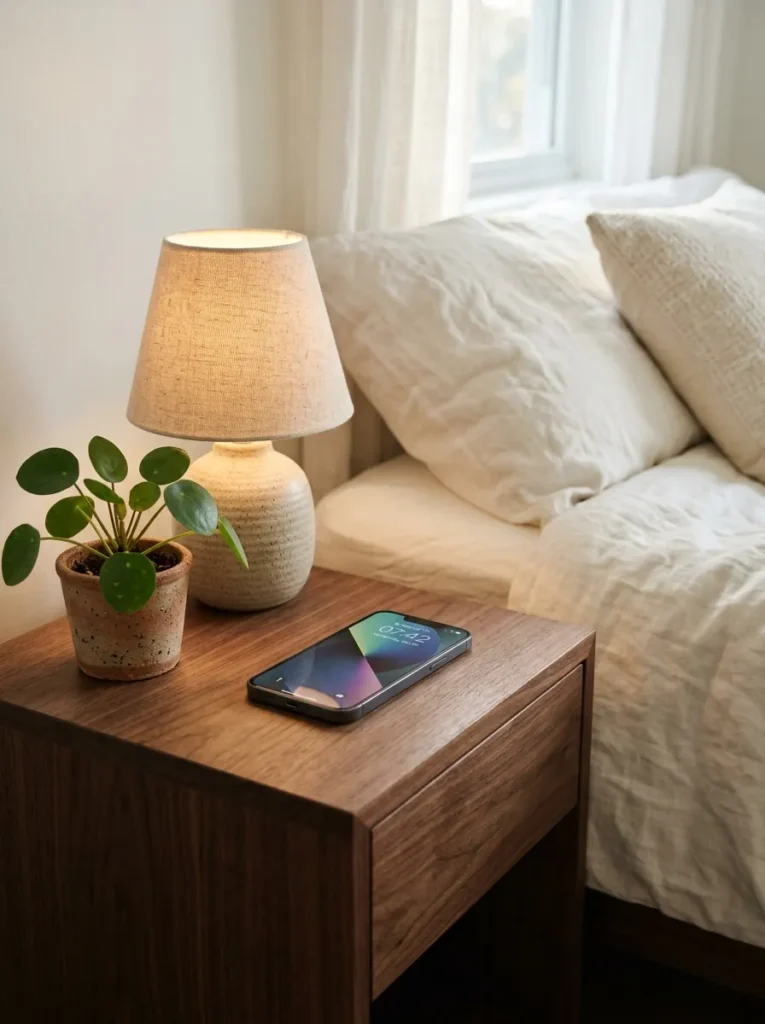
Vibe: The nightstand is calm — a wireless charging nightstand with a completely cable-free surface is the bedroom detail that eliminates the last remaining visual friction of modern device dependency, creating the genuinely organized bedside that cable management systems approximate but never fully achieve.
Why it works: The bedroom nightstand is the highest-priority location for wireless charging furniture because it is where most people charge their phones overnight — a habit with both practical and sleep quality implications. Standard cable charging at the bedside requires a cable permanently occupying the nightstand surface and dangling to the outlet below, creating visual clutter at the surface most seen from the bed and a physical hazard at the floor level most commonly navigated barefoot in the dark. A Qi-integrated nightstand eliminates both problems: the phone is placed on the surface and charges without any cable, and the charging function requires no floor-level cord between the nightstand and the wall outlet because the pad’s power cable is internal, routed through the furniture and connected at the back where it is invisible in use.
How to get it: Wireless charging nightstands with factory-integrated Qi pads are available from IKEA (the SELJE range), Crate & Barrel, and Article at $150–$400. For a DIY retrofit: purchase a Qi wireless charging pad kit designed for furniture embedding ($15–$40 for the pad and power cable), route the power cable through a pre-drilled hole in the nightstand’s back panel, and adhere the pad to the underside of the tabletop surface with construction adhesive. The tabletop must be non-metallic and less than 40mm thick for reliable charging — most solid wood nightstand tops meet this specification.
Quick Win: A Qi wireless charging pad placed on top of an existing nightstand (visible on the surface, not embedded) connected to a single outlet and concealed under a small fabric mat or leather pad creates 80% of the wireless charging nightstand benefit at zero furniture cost — the phone places on the mat and charges, eliminating the cable from the visible surface entirely.
Shop The Look
- Wireless charging nightstand walnut built in
- Qi wireless charging pad furniture embed kit
- Ceramic table lamp warm tone bedroom
- Charging indicator LED subtle bedside
- Small plant pot ceramic white minimal
2. Wireless Charging Coffee Table for the Living Room
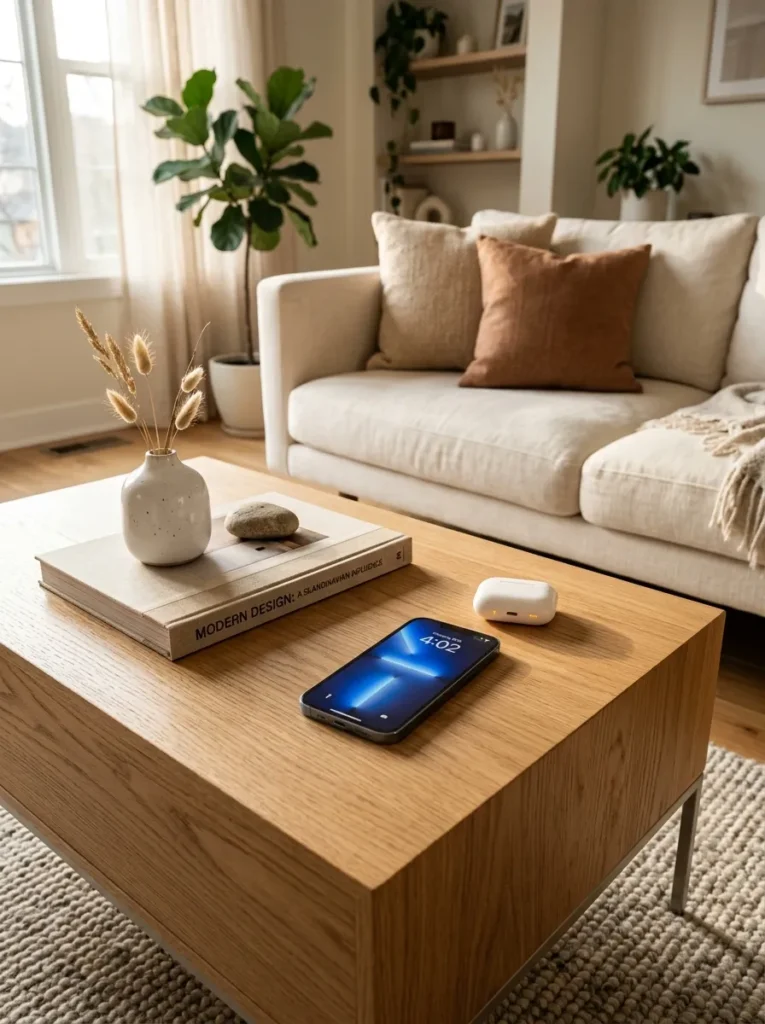
Vibe: The living room is clean — a wireless charging coffee table where devices charge naturally as they are set down converts the room’s most central surface from a device-charging staging area into a genuinely functional display surface that happens to charge everything placed on it.
Why it works: The coffee table is the living room surface most consistently occupied by devices — phones placed face-down during conversation, earbuds cases set down while listening, smartwatches removed during relaxation. A wireless charging coffee table converts this existing behavior (devices set on the coffee table) into a charging behavior without requiring any change in how the table is used. The Qi pad embedded in the coffee table top is typically indicated by a subtle circular inlay, a slight material difference in the surface, or a small LED indicator dot — these visual cues communicate the charging zone without disrupting the table’s overall aesthetic. Multiple pad integration (two or three Qi pads across a standard coffee table top) allows multiple devices to charge simultaneously.
How to get it: Wireless charging coffee tables are available from IKEA (the TRULSTORP with SJÖMÄRKE charger), West Elm, and CB2 at $200–$600. For retrofit application: most solid wood coffee tables with tops under 40mm thickness can accept an embedded Qi pad installation. Rout a shallow recess in the top surface (matching the pad’s diameter, approximately 3mm deep) and inset the pad flush — a clean routed recess allows the pad to sit flush with the surface rather than raising above it. Fill the gap around the pad with clear epoxy or wood filler matched to the top surface finish.
Shop The Look
- Wireless charging coffee table built in oak
- IKEA TRULSTORP charging coffee table
- Qi charging pad multi-device table kit
- Art book set display coffee table
- Single ceramic object coffee table display
Also view: 15 Aesthetic Wall Ideas That Transform Any Room
3. Wireless Charging Desk for the Home Office
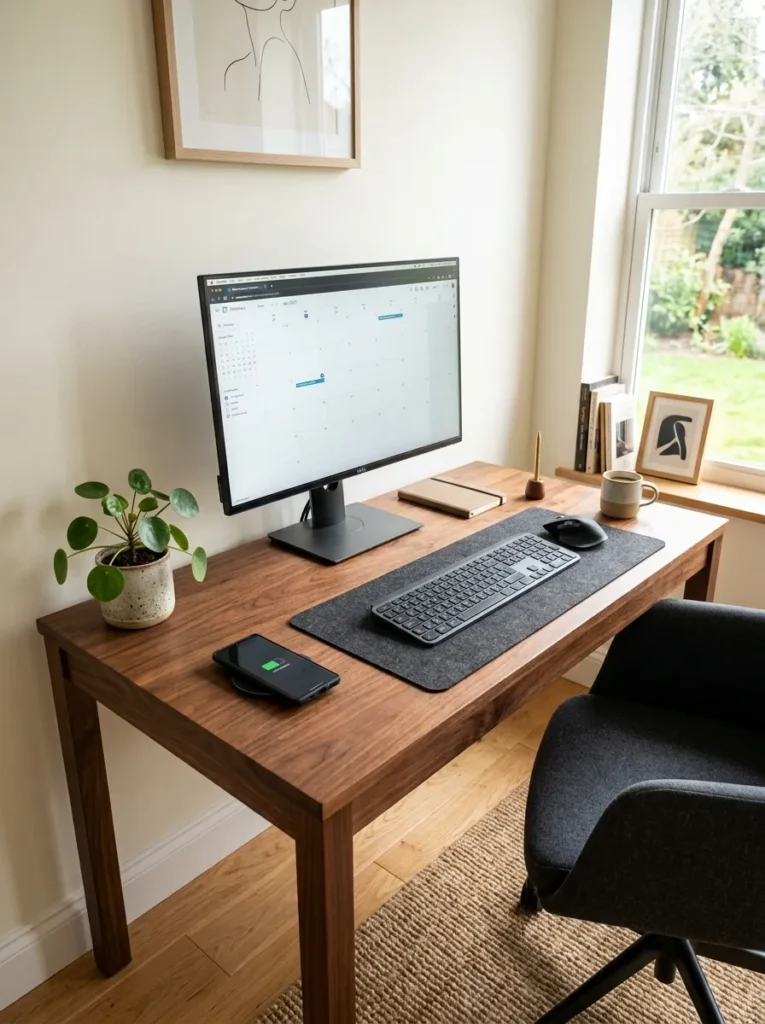
Vibe: The home office is focused — a wireless charging desk with a completely cable-free surface creates the uncluttered workspace that productivity research consistently identifies as the physical environment most conducive to sustained deep work.
Why it works: Home office desks are among the highest-cable-density surfaces in any home — monitor cable, keyboard cable, mouse cable, laptop charger cable, phone charging cable, and any additional peripheral cables create a surface environment of visual complexity that is both aesthetically unpleasant and cognitively taxing. A wireless charging desk addresses the phone charging cable (typically the most frequently moved and most visually prominent desk cable) as a first step — the phone is placed on the desk surface’s integrated Qi zone and charges without any cable during work sessions. Combined with wireless keyboard, wireless mouse, and a monitor with built-in cable management, a wireless charging desk can achieve a nearly cable-free surface.
How to get it: Desks with integrated wireless charging are available from Autonomous, FlexiSpot, and BDI at $400–$1,200 for standing desk and seated desk options respectively. For retrofit: a flush-mounted Qi pad in the desk’s upper corner (where the phone is typically positioned during work) is the most effective single integration. Cable routing through a grommet hole to a power strip in the desk’s cable management channel keeps the pad’s single power cable invisible.
Shop The Look
- Wireless charging desk walnut built in
- Standing desk wireless charging surface
- Monitor arm desk mount cable management
- Wireless keyboard and mouse set minimal
- Desk cable management tray hidden
4. Wireless Charging Sofa Side Table or C-Table
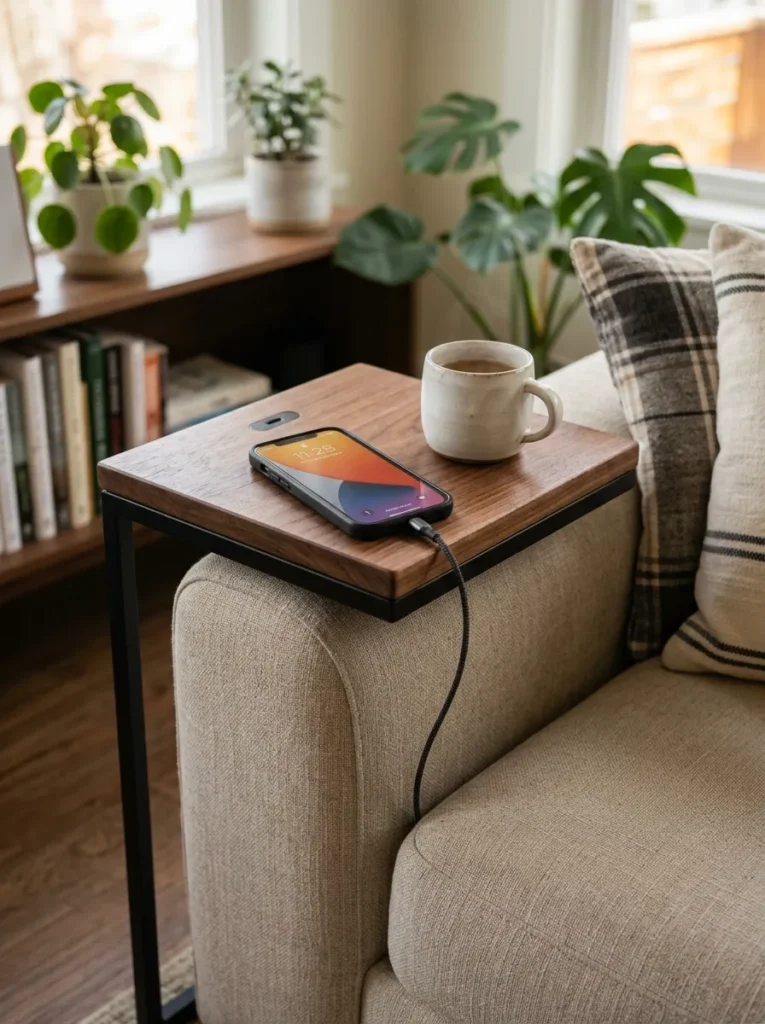
Vibe: The side table is functional — a C-table with wireless charging at sofa height is the living room piece that most directly serves how people actually use the sofa, where the phone is naturally set on a surface at arm level and charging begins automatically without any cable interaction.
Why it works: The C-table format — a table with a C-shaped frame that slides under a sofa or chair so the top surface is positioned at sofa arm height — is specifically well-suited to wireless charging integration because it positions the charging surface exactly where a person naturally sets their phone during sofa use, without requiring them to reach to a coffee table below or a side table at a distance. The C-table’s compact top surface (typically 12–18 inches square) means the Qi pad covers a significant proportion of the total surface area, making placement of any device on the top automatically within the charging zone. The frame’s under-sofa positioning keeps the table’s single power cable running along the floor behind the sofa and out of the visible floor area.
How to get it: C-tables with integrated wireless charging are available from CB2, Article, and Pottery Barn at $150–$350. For a DIY version: purchase a standard C-table with a solid wood or composite top (non-metallic), adhere a thin Qi pad to the underside of the top surface, and route the cable along the interior of the C-frame using cable clips. The C-frame’s hollow metal section often provides an internal cable routing path that keeps the power cable completely concealed.
Shop The Look
- C table sofa side wireless charging walnut
- C table matte black frame charging surface
- Wireless Qi pad slim profile furniture
- Ceramic mug minimal sofa side
- Cable clip adhesive frame routing set
5. Wireless Charging Bedside Lamp with Integrated Base
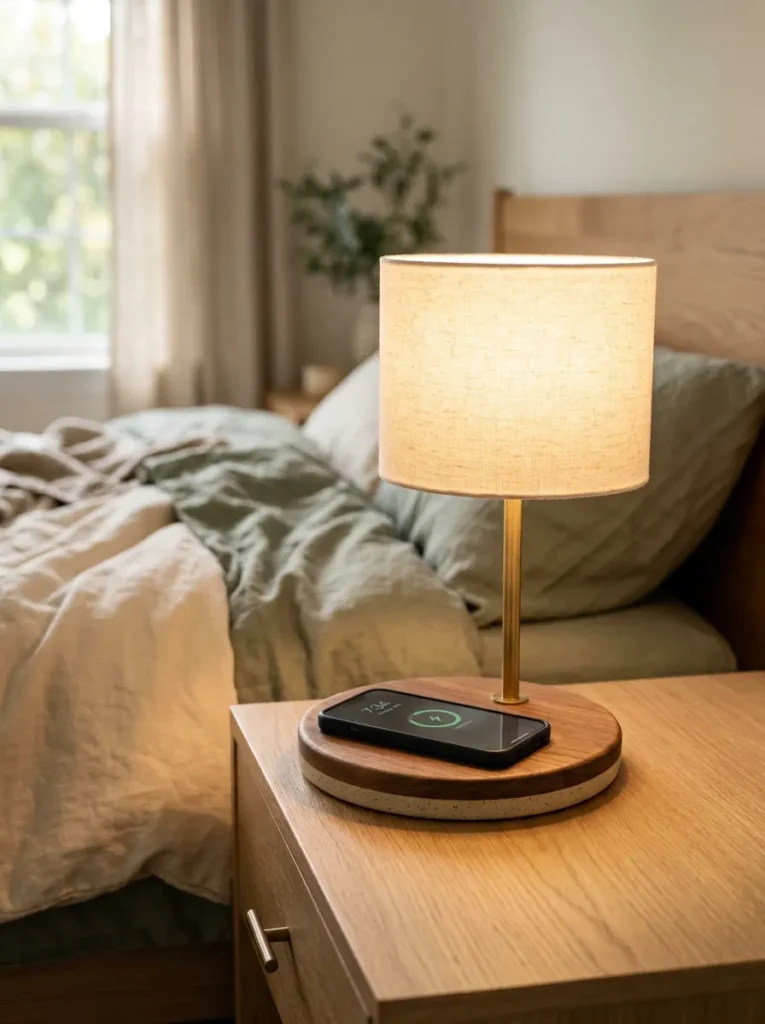
Vibe: The lamp is integrated — a bedside lamp with a wireless charging base consolidates two essential bedroom functions (light and device charging) into a single object, eliminating the separate charging cable and the charging pad as independent objects from the nightstand surface.
Why it works: The wireless charging lamp base is the most space-efficient wireless charging furniture solution available because it requires no dedicated furniture piece — it integrates the charging function into an object that already occupies the nightstand surface. The lamp’s single power cable (the lamp’s own power supply) powers both the light and the embedded Qi charging base, meaning no additional outlet is consumed and no additional cable is added to the setup. This dual-function consolidation is specifically valuable in small bedrooms or guest rooms where the nightstand may be too small for a separate charging pad and a lamp simultaneously. The lamp base’s Qi pad is typically indicated by a small “charging zone” symbol on the base perimeter or by a subtle circular inlay.
How to get it: Wireless charging lamps are available from IKEA (the OBEGRÄNSAD range), Govee, and numerous specialty lighting brands at $40–$150. When selecting, confirm that the charging base provides at least 10 watts (15 watts for Qi2 compatibility) — some lower-cost versions provide only 5 watts, which charges modern smartphones very slowly. The lamp shade and height should be appropriate for nightstand use (shade bottom at approximately 17–20 inches above nightstand surface for comfortable reading light without glare).
Shop The Look
- Wireless charging bedside lamp integrated base
- IKEA OBEGRÄNSAD charging lamp bedroom
- Qi2 charging lamp base 15 watt
- Warm white lamp shade minimal
- Nightstand minimal surface bedroom
6. Wireless Charging Kitchen Counter Caddy
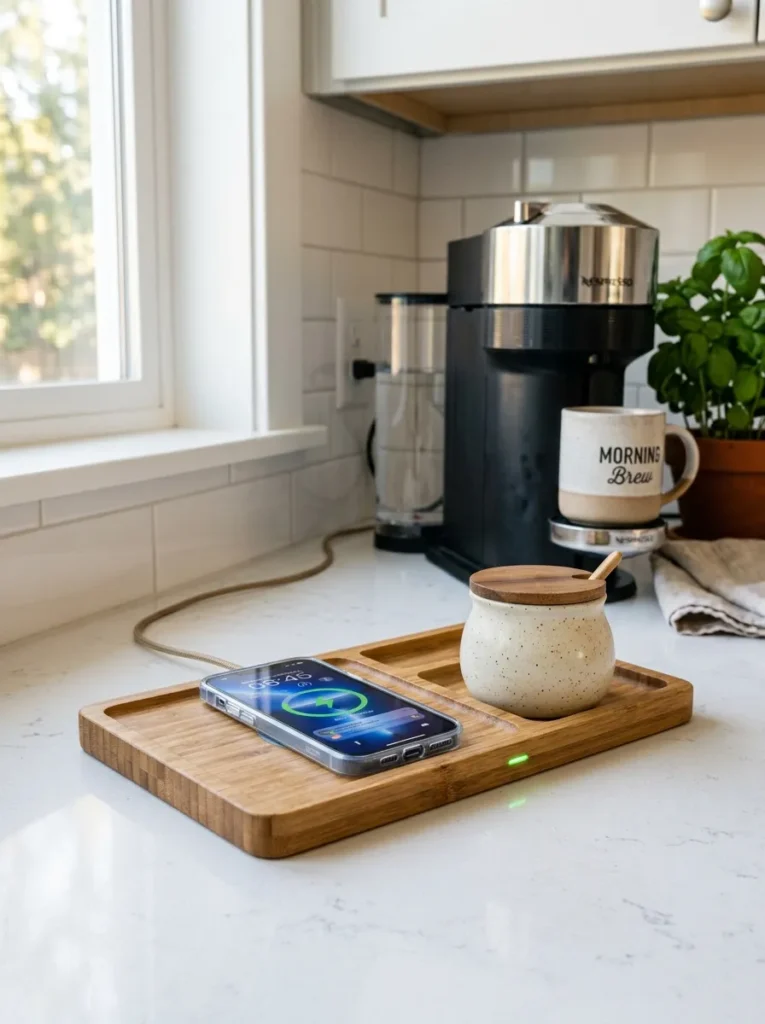
Vibe: The kitchen counter is organized — a wireless charging kitchen caddy gives the phone a designated home beside the coffee maker during the morning routine, eliminating the cable that otherwise drapes from a counter outlet while consolidating the phone’s kitchen presence into a single purposeful object.
Why it works: The kitchen is the room where phones are most often set on surfaces without a cable in proximity — the counter beside the coffee maker, the kitchen island during cooking — creating the daily friction of a phone that is not charging in the room where it is most actively used. A kitchen counter wireless charging caddy resolves this by positioning the charging function exactly where the phone is already being placed. The leaning slot design (a narrow groove that holds the phone at a 70-degree viewing angle while charging) is specifically valuable in the kitchen context where the phone is actively consulted for recipes, timers, and messages during cooking — the viewing angle keeps the screen readable without requiring the phone to be picked up.
How to get it: Wireless charging kitchen caddies with viewing slots are available from Belkin, Twelve South, and specialty bamboo goods retailers at $35–$80. Bamboo is the preferred material for kitchen proximity because it is moisture-resistant, food-safe, and lightweight enough to be repositioned easily without scratching counter surfaces. Ensure the caddy’s Qi pad is protected against moisture — kitchen surfaces near sinks may experience occasional water contact, and the pad should be rated for light moisture exposure.
Quick Win: A standard wireless charging pad ($15–$25) placed in a small ceramic tray or wooden tray on the kitchen counter creates a designated phone charging zone at minimal cost — the tray defines the charging area and elevates the pad from a bare device to a purposeful counter accessory.
Shop The Look
- Bamboo wireless charging kitchen caddy slot
- Walnut wireless charging stand kitchen
- Kitchen counter wireless pad tray holder
- Ceramic jar kitchen counter minimal
- Moisture resistant Qi pad kitchen rated
7. Wireless Charging Entryway Console Table
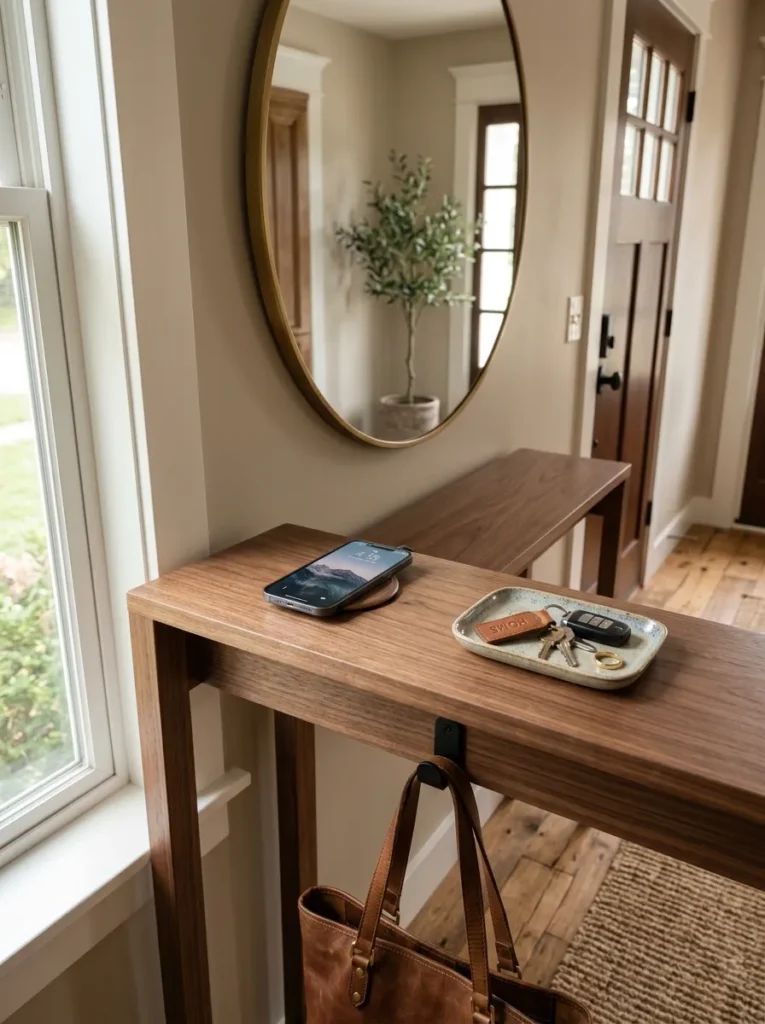
Vibe: The entryway is organized — a wireless charging console table at the front door creates an arrival ritual where everything comes off at the threshold — phone on the charging surface, keys in the tray, bag on the hook below — establishing the deliberate boundary between outside world and home that the best entry design achieves.
Why it works: The entryway console table is the ideal location for a wireless charging surface because it intercepts the phone at the moment of arrival — before it is carried further into the home and set on multiple surfaces throughout the evening. A phone placed on the entryway charging console on arrival is a phone that does not need to be charged at the bedside overnight, which is a behavior change with meaningful implications for bedroom sleep quality (see Idea 1). The charging function at the entryway also reinforces the habit of setting the phone down on arrival — a deliberate disconnection from external communication that supports the psychological transition from public to private space.
How to get it: Wireless charging console tables are available from CB2, Room & Board, and Article at $300–$700 for slim console formats appropriate for entryways. For a retrofit, most slim console tables with solid wood or composite tops under 40mm thickness can accept an embedded Qi pad. Pair with a small ceramic or concrete tray for keys ($20–$40), a wall-mounted bag hook beneath the table ($15–$25 for a forged iron or brass hook), and an overhead mirror to complete the entry station.
Shop The Look
- Wireless charging console table walnut slim
- Ceramic tray key holder entryway minimal
- Wall mounted bag hook forged iron
- Slim entry mirror above console
- Console table wireless charging retrofit kit
8. Wireless Charging Dining Table with Multiple Zones
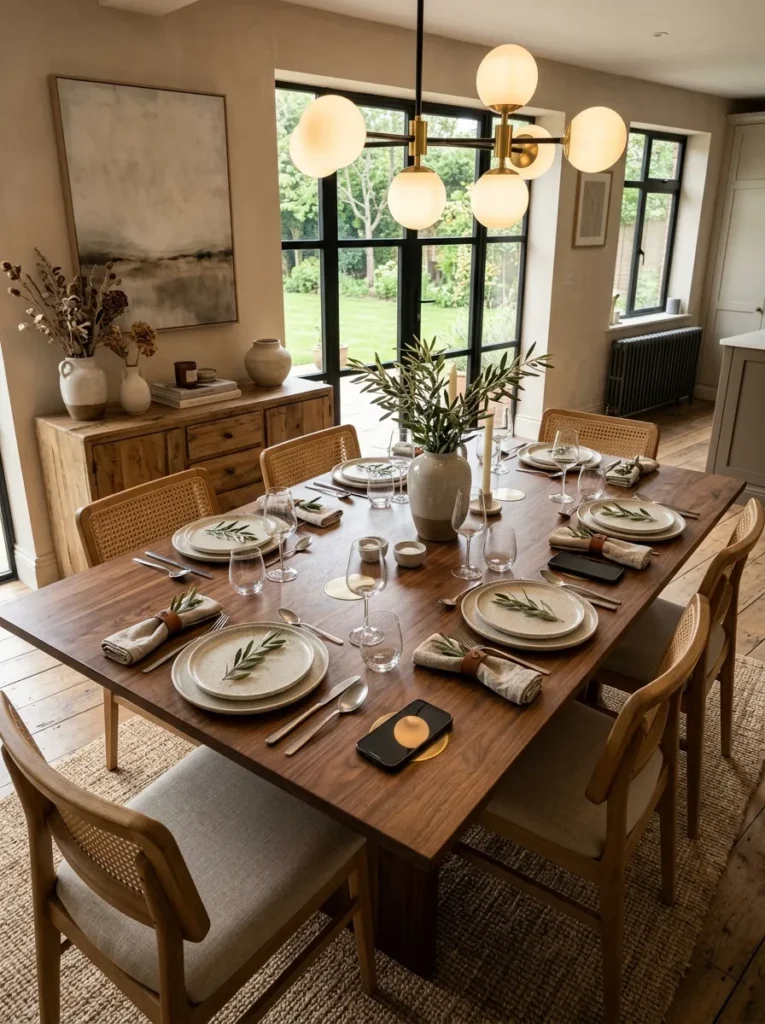
Vibe: The dining table is modern — wireless charging zones built into a dining table for the household’s two most frequent seating positions acknowledge that device charging is a domestic reality while designing for it in a way that keeps the table visually clean and the meal experience uninterrupted by visible charging hardware.
Why it works: The dining table wireless charging integration addresses the household reality that devices are brought to the table at mealtimes — whether during family dinners (for the checking that happens despite best intentions) or during the more frequent informal meals, solo lunches, and work-from-table sessions where device use is entirely appropriate. Rather than positioning charging cables at the table perimeter (where they create visual clutter and limit seating flexibility), embedded Qi pads at the two most-used seating positions provide a permanent charging solution that is invisible when not in use. The multiple-zone design — two independent Qi pads, each powered through a separate routed cable — means two devices can charge simultaneously without interference.
How to get it: Dining tables with integrated wireless charging are less common as factory options but can be custom-ordered from direct-to-consumer furniture makers. Retrofit integration requires the same pad-embedding technique as coffee tables — a routed recess in the top surface sized to the pad diameter, the pad adhered flush, and the cable routed to an outlet through the table leg’s interior channel or a cable management strip along the table’s underside apron.
Shop The Look
- Dining table wireless charging integrated oak
- Qi charging pad dual zone dining table
- White ceramic dinner plate set minimal
- Linen napkin set neutral dining
- Pendant light dining table warm brass
9. Wireless Charging Floating Shelf for Bedroom or Living Room
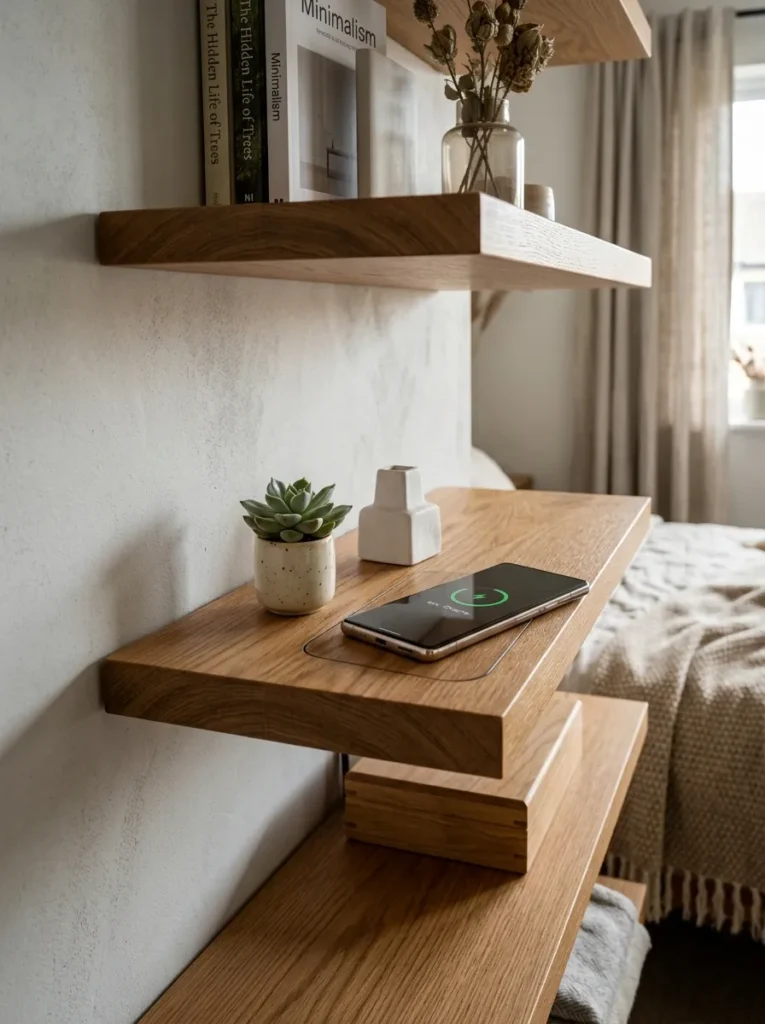
Vibe: The shelf is clean — a floating shelf with wireless charging on its top surface provides a wall-level charging station that keeps the device off the nightstand, off the floor, and off the desk, creating a dedicated device home at exactly the height where it will be seen and conveniently accessed.
Why it works: A wireless charging floating shelf positions the charging function at wall level rather than on a furniture surface — which is a meaningful spatial distinction in small rooms where every horizontal furniture surface carries multiple competing functions. A phone charging on a wall shelf is a phone that is neither on the nightstand (where it competes with the lamp and water glass), nor on the desk (where it competes with work materials), nor on the floor (where it creates a tripping hazard). The wall shelf position also places the charging phone at a height where its notifications are visible from the bed or chair without requiring it to be picked up — a meaningful quality-of-life detail for people who use their phone as a bedside clock or alarm.
How to get it: Wireless charging floating shelves are available from IKEA (the SJÖMÄRKE wireless charging shelf, compatible with BESTÅ shelf systems) and from specialty furniture makers at $40–$120. The IKEA solution is particularly elegant — the charging shelf unit mounts on the wall independently and the charging cable is routed behind the wall through a small hole, eliminating the visible cable entirely when installed with professional wall routing.
Shop The Look
- IKEA SJÖMÄRKE wireless charging shelf
- Floating shelf wireless charging built in
- Small succulent plant shelf display
- Ceramic object small minimal shelf
- Cable routing wall kit behind shelf
10. Wireless Charging Bathroom Vanity Surface
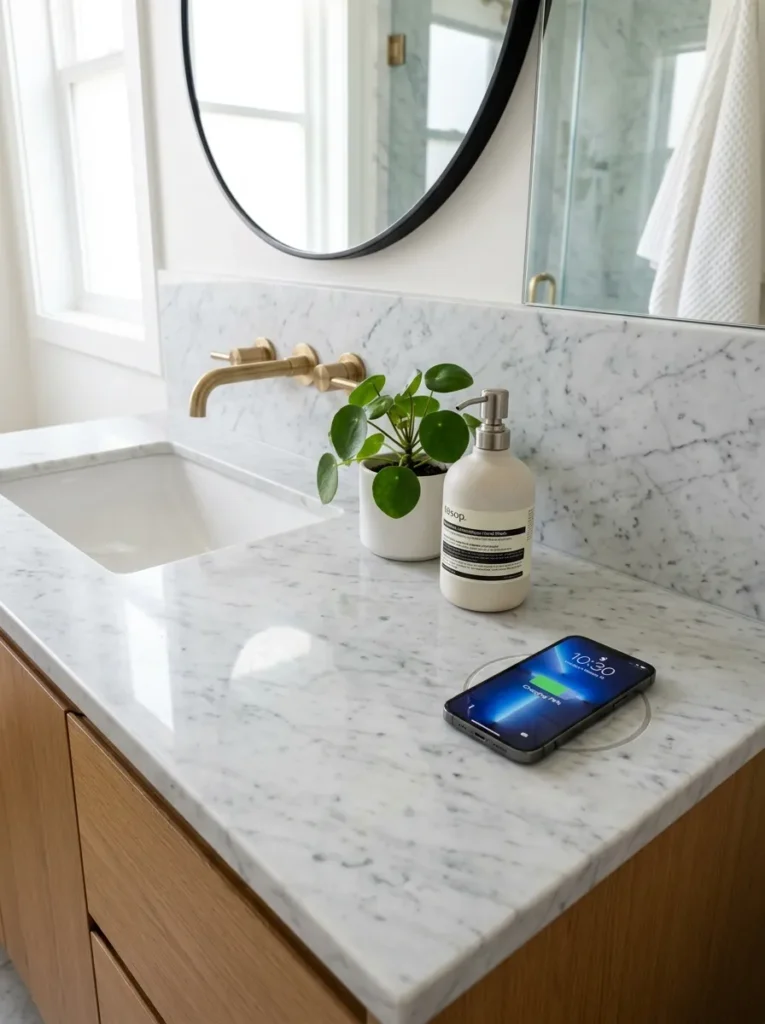
Vibe: The vanity is spa-like — a wireless charging zone integrated into a bathroom vanity counter creates the cable-free, visually resolved surface that communicates the same design intentionality as every other considered decision in a well-designed bathroom.
Why it works: The bathroom vanity counter is a wireless charging location that most people do not initially consider but that serves a genuine behavioral need — the phone is brought to the bathroom consistently during morning routines (music, podcasts, news) and benefits from charging during the 20–40 minutes the morning routine typically occupies. A counter-integrated Qi pad allows the phone to charge during the morning routine without consuming a vanity outlet or introducing a charging cable onto the counter surface. The moisture consideration is more significant at the vanity than in other rooms — the Qi pad must be rated for bathroom proximity (splash-resistant rather than waterproof), and the counter surface above the pad should be non-porous to prevent moisture ingress to the pad mechanism.
How to get it: Bathroom-rated wireless charging counter inserts are available from Legrand and specialty bathroom fixture suppliers at $80–$180 for installation-ready units designed for counter integration. These units are specifically moisture-rated for bathroom environments and include a countertop insert frame that creates a finished, clean appearance from above. Standard consumer Qi pads should not be used in bathroom applications without moisture protection — the combination of steam, water droplets, and humidity will degrade standard pad electronics.
Shop The Look
- Bathroom wireless charging counter insert
- Waterproof rated Qi pad vanity counter
- Marble vanity counter slab minimal
- Ceramic soap dispenser white bathroom
- Small plant pot bathroom counter
11. Wireless Charging Outdoor Side Table for Patio or Deck
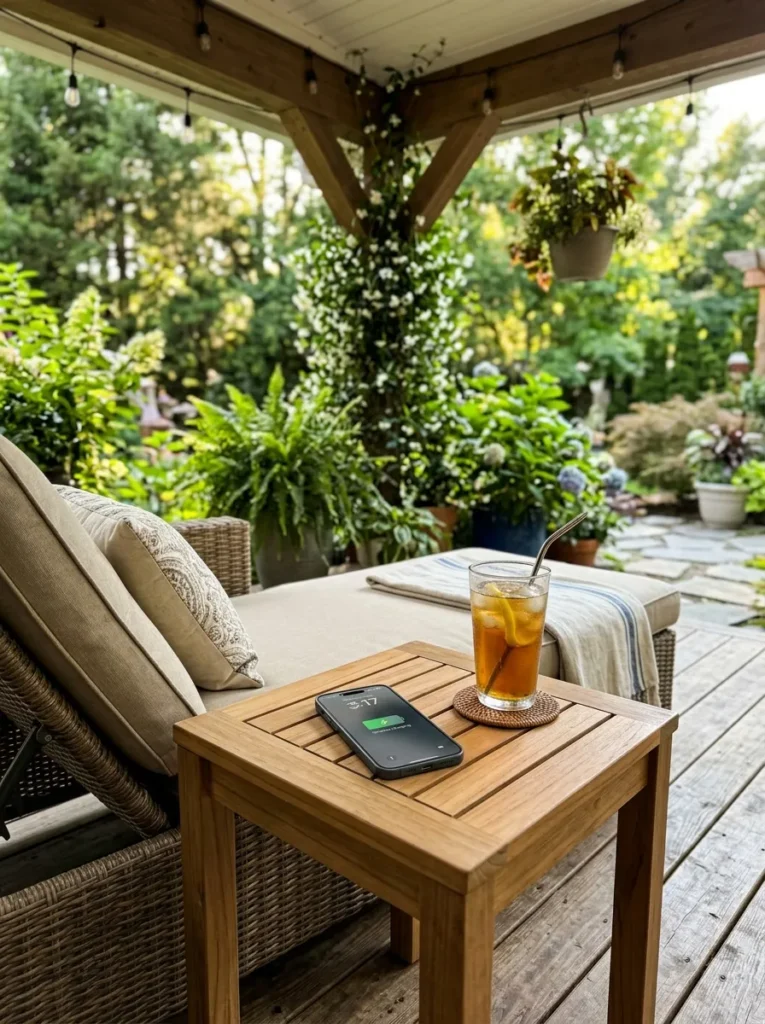
Vibe: The patio is relaxed — a wireless charging outdoor side table eliminates the extension cord or portable battery that outdoor phone charging typically requires, creating a genuinely resolved outdoor relaxation space where the device dependency of modern life is accommodated without visual compromise.
Why it works: Outdoor wireless charging furniture addresses the specific friction of outdoor relaxation — the desire to leave the phone outside while relaxing is undermined by the battery anxiety that comes with being away from an outlet for an extended outdoor session. An outdoor side table with wireless charging enables hours of patio or deck use with the phone maintaining or gaining charge without any cable, outlet extension, or portable battery visible or required. The technology challenge for outdoor Qi integration is weather resistance — the charging pad must be rated for outdoor conditions including direct moisture exposure, UV degradation, and temperature extremes. Covered patio applications have more forgiving weather requirements than uncovered deck applications.
How to get it: Outdoor wireless charging side tables are available from Fermob, DEDON, and specialty outdoor furniture brands at $200–$500 — the outdoor-rated Qi integration commands a significant premium over indoor equivalents due to the weatherproofing requirements. For covered patio use, an indoor-rated wireless charging table positioned under reliable shelter is a cost-effective alternative — covered patios experience minimal direct moisture exposure and the furniture and electronics remain safe in this context.
Shop The Look
- Outdoor wireless charging side table teak
- Weather resistant Qi pad outdoor rated
- Teak outdoor side table patio modern
- Outdoor lounge chair companion
- UV resistant outdoor surface wireless
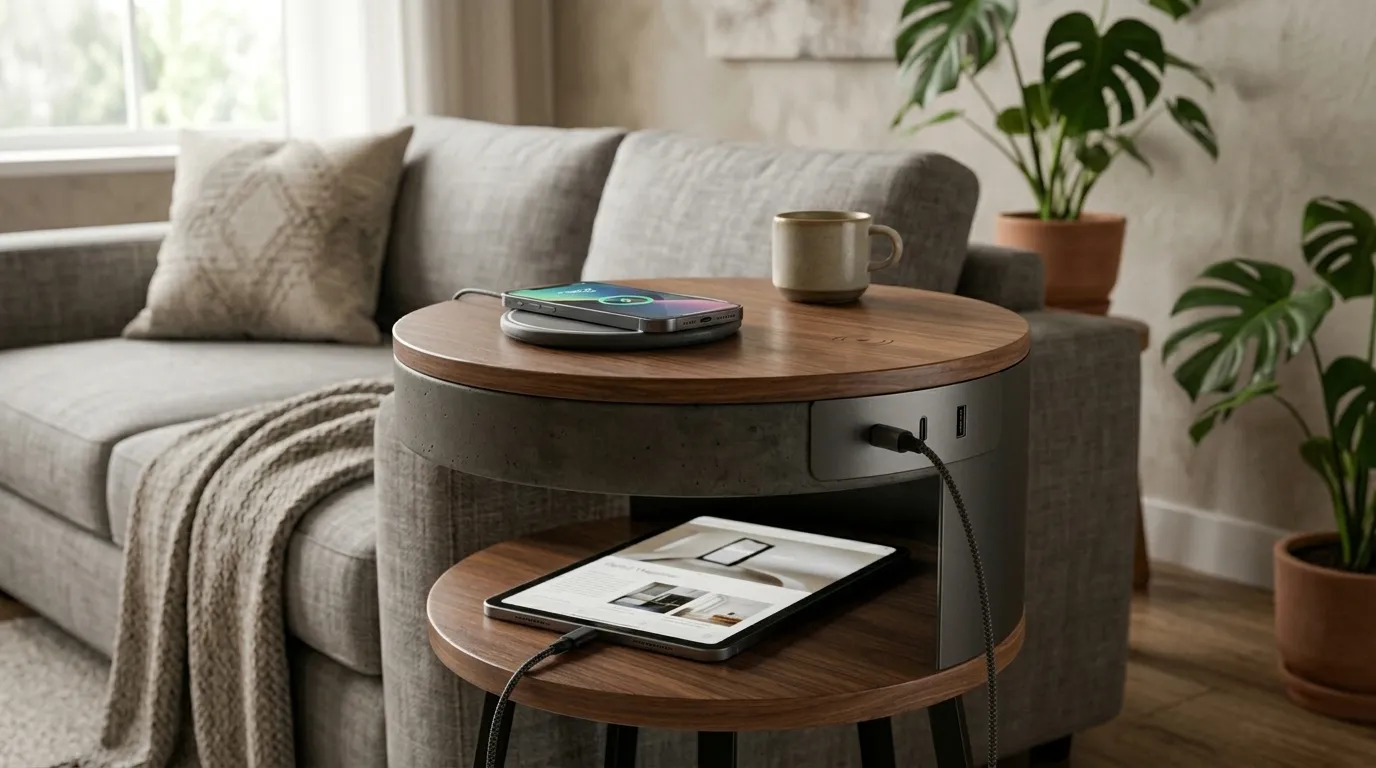
12. Wireless Charging Accent Table with Integrated USB-A and USB-C Ports
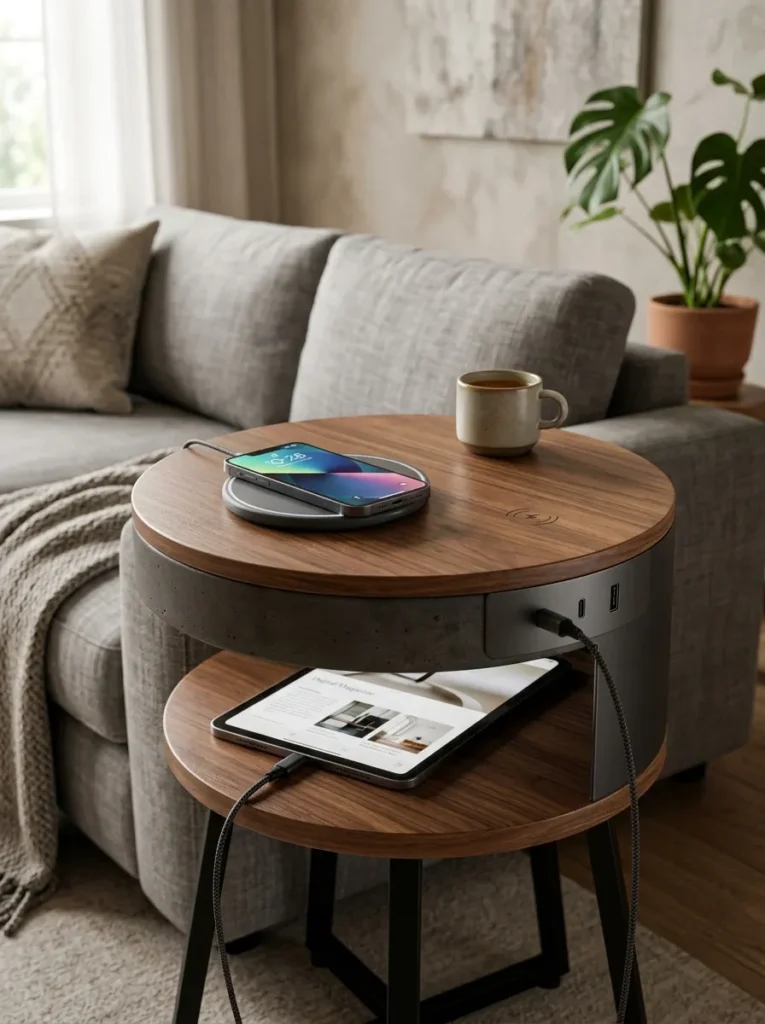
Vibe: The table is complete — an accent table with wireless charging on the surface and USB-A and USB-C ports on the side panel creates a self-contained charging ecosystem that serves every device type in the household without a power strip, surge protector, or cable management system visible anywhere.
Why it works: While wireless charging handles phones, earbuds, and smartwatches with current Qi compatibility, some devices in a typical household still require wired charging — tablets, laptops, gaming controllers, and older devices that predate Qi adoption. An accent table with integrated USB-A and USB-C ports in addition to the wireless surface addresses the full household charging ecosystem rather than only the wireless-compatible subset. The side-panel port integration keeps cables short (device to port, 6–12 inches maximum) and positioned away from the table’s primary surface, maintaining visual cleanliness on the top while providing the wired capability that complete device coverage requires.
How to get it: Furniture with integrated USB ports alongside wireless charging is available from specialized technology-furniture brands including BDI, Sauder, and Prepac at $150–$400. The USB ports draw power from the same internal power supply as the wireless pad, requiring a single power connection to the wall outlet. When evaluating port specifications: USB-C Power Delivery (PD) at 60 watts or higher is required for laptop charging; USB-C at 20 watts handles tablets; standard USB-A at 12 watts handles phones and accessories.
Shop The Look
- Accent table wireless charging USB ports integrated
- Side table USB-C USB-A charging furniture
- Compact charging table walnut modern
- USB-C power delivery cable short length
- Multi device charging table living room
13. Wireless Charging Children’s Desk or Study Table
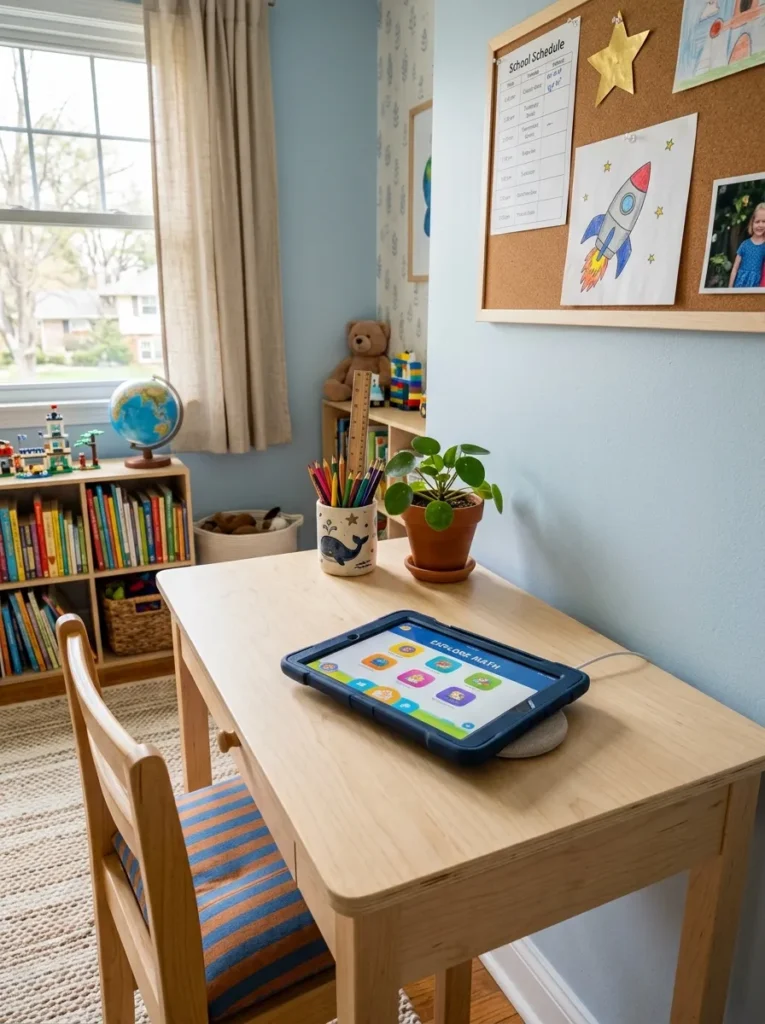
Vibe: The desk is organized — a wireless charging children’s study desk eliminates the cable management challenge of children’s study spaces, where device cables are simultaneously tripping hazards, chewing temptations, and desk surface organizers that resist every organizational attempt.
Why it works: Children’s study spaces have the highest cable management difficulty of any room in a home because children interact with furniture in ways that adults do not — cables are climbed over, sat on, pulled, and generally subjected to forces that standard cable management solutions are not designed to withstand. A wireless charging surface eliminates the most frequently connected and disconnected cable (the tablet or phone charging cable) from the study desk entirely, replacing it with a surface that charges by placement alone. This is particularly significant for younger children who benefit from a fully organized, cable-free study surface that reduces the environmental complexity of the homework environment and removes a source of distraction.
How to get it: Children’s desks with wireless charging are less common as factory products but the retrofit approach is particularly appropriate in this context — a child’s existing desk with a solid (non-metal) top under 40mm can accept an adhesive-mounted Qi pad beneath the surface, invisible from above and inaccessible to the child. The pad’s single power cable is routed through a cable grommet and attached to a fixed outlet with a cable tidy, eliminating the free cable from the desk environment entirely.
Shop The Look
- Children’s desk wireless charging surface
- Qi pad furniture retrofit kit adhesive
- Ceramic pencil cup children’s desk minimal
- Small plant desk child friendly
- Cable grommet desk routing kit
14. Wireless Charging Smart Home Hub Table with Speaker Integration
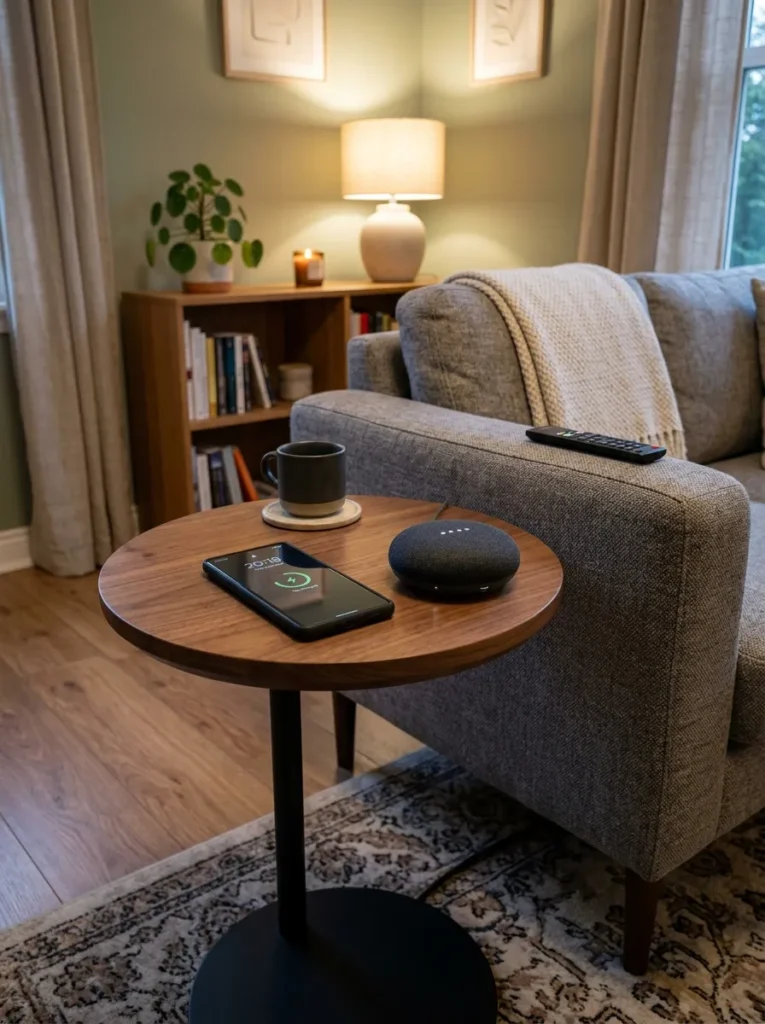
Vibe: The table is integrated — a wireless charging table with a smart speaker creates the modern home’s most complete ambient technology node: the room responds to voice, the device charges by placement, and the entire technology ecosystem of the living room functions from a single compact table with a single power connection.
Why it works: The combination of wireless charging and a smart speaker in a single furniture piece is the most complete expression of the technology integration principle that wireless charging furniture represents — both technologies function without visible cables, without visible devices (the speaker’s fabric mesh and the charging pad’s embedded surface are the only visible elements), and without active user interaction beyond initial placement and voice command. Together, they create an ambient technology layer in the living room that serves the household’s music, information, and device-charging needs from a single object with a single power connection. The visual result is a living room where no device charging or smart home equipment is visible as such — only a compact table and a fabric mesh cylinder that could be a decorative object as much as a technology device.
How to get it: Smart speaker integration alongside wireless charging is available in dedicated products from Harman Kardon (the Citation series includes wireless charging bases) and from custom furniture makers who build speaker and Qi pad integration into table designs. The DIY approach — a compact round accent table with a Qi pad embedded in the top and a smart speaker positioned on the lower shelf of the table — achieves the same functional result with standard off-the-shelf components, routing the shared power strip (smart speaker and Qi pad power supplies) to a single wall outlet through a cable management system along the table’s rear leg.
Shop The Look
- Smart speaker wireless charging table integrated
- Harman Kardon Citation speaker base
- Compact round accent table modern
- Qi pad embed kit round table top
- Cable management single outlet strip hidden
How to Start Your Wireless Charging Furniture Transformation
The single most important first decision in a wireless charging furniture upgrade is to identify the one room and one surface where the daily friction of device charging is most disruptive to the room’s visual calm or to the household’s daily routine. For most households this is the bedroom nightstand — the surface where a phone cable drapes most visibly and where the charging habit is most consistent (overnight charging). Starting with the bedroom nightstand wireless charging upgrade creates an immediate, daily-experienced improvement in the room’s visual calm and in the morning routine’s convenience, and the success of this single upgrade provides both the motivation and the confidence for subsequent upgrades in other rooms.
The most common beginner mistake in wireless charging furniture decisions is prioritizing the wireless charging function over the furniture’s intrinsic quality as a piece. A wireless charging nightstand that is poorly constructed, visually mediocre, or the wrong proportion for the bedroom does not become a good nightstand because it charges a phone — it remains a mediocre nightstand that also charges a phone, and the charging function does not compensate for the furniture’s design shortcomings. The correct approach is to choose furniture of genuine quality first, then evaluate whether wireless charging integration is available in that piece, whether a retrofit is feasible, or whether a tabletop charging solution on a quality piece serves the same purpose.
Three wireless charging furniture upgrades under $50 that create immediate, significant improvement in daily convenience and room visual calm: a Qi wireless charging pad positioned in a small tray on an existing nightstand ($15–$25 for the pad, $10–$20 for a leather or ceramic tray) that eliminates the nightstand cable from the visible surface; a wireless charging lamp with a base charging surface replacing an existing bedside lamp ($35–$50 for quality options) that consolidates two nightstand objects into one; and a wireless charging kitchen caddy ($35–$45) that gives the phone a designated, charging home during the morning kitchen routine without any cable or outlet occupation.
A complete household wireless charging furniture integration — nightstand, coffee table, home office desk, and entryway console — is achievable over a 3–6 month period of intentional upgrades, working room by room rather than all simultaneously. Total investment for a complete household integration ranges from $150–$400 for retrofit-based solutions (embedding pads in existing furniture) to $600–$1,500 for furniture replacement with factory-integrated wireless charging. The most cost-effective approach is retrofit integration into existing quality furniture — a quality nightstand with an embedded Qi pad retrofit costs the price of the pad ($15–$40) rather than the price of a new nightstand, and the result is functionally identical to a factory-integrated piece.
Frequently Asked Questions About Wireless Charging Furniture
Does wireless charging work through all wood types and thicknesses?
Wireless charging works through all non-metallic materials including wood, MDF, bamboo, stone, marble, glass, and plastic, but the thickness of the material between the charging pad and the device affects charging efficiency. The Qi standard supports charging through up to approximately 40mm (about 1.6 inches) of non-metallic material, though charging efficiency decreases with increasing material thickness. Most furniture tabletops are within this range — solid wood tops are typically 18–30mm thick, which is well within the reliable charging range. Surfaces that do not work with wireless charging include solid metal tops (aluminum, steel, copper) and any top with a metal foil layer, mesh, or metallic finish — these materials block the electromagnetic field required for energy transfer. Marble with metallic veining and some engineered stone products with metallic content may also reduce or prevent charging — test with a pad on the surface before committing to a retrofit installation.
What wattage of wireless charging is needed for different devices?
Device charging speed depends on the wattage delivered by the charging pad and the device’s maximum wireless charging acceptance rate. iPhones with MagSafe compatibility charge at up to 15 watts through MagSafe but at 7.5 watts through standard Qi; non-MagSafe iPhones charge at up to 7.5 watts. Android phones with Qi2 compatibility charge at up to 15 watts; most Android phones support 5–15 watts on standard Qi pads. Wireless earbuds cases charge at 2.5–5 watts. Qi-compatible smartwatches charge at 2–5 watts. For furniture integration, a 15-watt Qi2-compatible pad ensures compatibility with current devices at their maximum wireless charging speed. Lower-wattage pads (5–7.5 watts) are sufficient for overnight charging where speed is less important but will charge most modern phones slowly during daytime use.
Can I retrofit wireless charging into my existing furniture myself?
Yes, and furniture retrofit is the most cost-effective approach to wireless charging furniture integration for most households. The retrofit process requires a Qi wireless charging pad designed for furniture embedding ($15–$40), a wood router or Forstner drill bit to create the recess for flush mounting (or simple surface adhesion for sub-surface mounting without routing), and a cable routing plan for the pad’s power supply cable. The technical requirements are: the tabletop must be non-metallic (wood, MDF, bamboo), the thickness must be under 40mm at the pad location, and the power cable must reach an outlet either directly or through a cable management system. Surface-mount pads (adhered to the top surface without routing) are the simplest retrofit approach but create a visible pad on the surface; recessed pads (routed flush with the surface) are invisible from above but require a router tool and the ability to work with woodworking equipment.
Is wireless charging slower than wired charging and does that matter for furniture integration?
Wireless charging is generally slower than wired charging at equivalent wattages, and the comparison depends on the specific wired and wireless technologies being compared. USB-A wired charging at 5–12 watts is comparable to or slower than Qi2 wireless at 15 watts. USB-C Power Delivery at 20–65 watts is significantly faster than any current wireless charging standard. For furniture integration contexts, the relevant question is not whether wireless is faster than wired but whether wireless is fast enough for the use pattern at that location. Overnight nightstand charging: wireless at any wattage is sufficient to fully charge any current smartphone overnight. Daytime coffee table or sofa side table charging: wireless at 10–15 watts maintains charge during typical day use and adds charge during periods of light use. Desk charging during active work: wireless at 15 watts may not keep pace with high-drain usage (video streaming, high-brightness screen, active data use) — a wired USB-C connection remains preferable for desk applications with heavy device use.
How do I indicate the wireless charging zone to household members without visible markings disrupting the furniture aesthetic?
The wireless charging zone communication challenge — how to tell people where to place their device without a visible charging symbol disrupting the furniture surface — is solved in different ways by different furniture designs. Factory-integrated wireless charging furniture typically uses one of three approaches: a subtle circular inlay in a contrasting material (a small brass or resin circle, 2–3mm raised or flush) at the pad center; a very small LED indicator dot on the table edge that illuminates when a device is placed correctly; or a printed symbol on the furniture’s underside near the pad location, visible only if the user looks beneath the table. DIY retrofit installations typically use a small piece of white paint pen or chalk paint on the underside of the top surface to mark the pad center, or a subtle pencil mark on the surface edge aligned with the pad center — these give household members a locating reference without any visible surface marking. For households with only one or two wireless-device users, informal communication of the pad location (verbally or with a one-time demonstration) is typically sufficient.
Ready to Integrate Wireless Charging Into Your Home?
These 14 ideas cover the full range of wireless charging furniture applications — from the bedroom nightstand and the living room coffee table where device charging happens most frequently, to the outdoor patio table and the bathroom vanity where it happens less often but makes a disproportionate quality-of-life difference, from the children’s study desk where cable elimination is a safety and organization imperative to the smart home hub table where wireless charging is one function within a complete ambient technology integration. You do not need to upgrade all 14 surfaces simultaneously — the most effective approach is to identify the one surface in your home where a visible charging cable currently creates the most daily visual friction or behavioral inconvenience, and address that surface first. The experience of a surface that charges by placement — where the device simply charges when set down without any cable interaction — is genuinely different from cable charging in a way that is difficult to fully appreciate before experiencing it, and once experienced in one room it creates an immediate motivation for subsequent upgrades. Start with the nightstand this weekend, observe the difference in the bedroom’s visual calm and in the morning routine’s convenience over the following week, and let that experience guide the next upgrade. Pin the ideas that matched a surface in your home you already wish were cable-free — those are the ones worth acting on first.